﻿<?xml version='1.0' encoding='utf-8' ?>
<?xml-stylesheet type="text/xsl" href="header_e.xsl" ?>
<body PageTitle="A book about programming" PageHeader="Tutorials" PageKeywords="Blender3D,Python,book" Created="2011-07-16" Updated="2012-08-25">
<div style="CLEAR:left;">
<table cellSpacing="0" cellPadding="0pt" align="left">
	<tr align="center" valign="top">
		<td>
				<IMG src="images/pydev/title_e.png" align="left" />
		</td>
	</tr>
</table>
<p/>
<div style="background-color:wheat;padding:10pt;margin-left:330px;">
 <span>Download the book: <a href="downloads/pydev/pydev-blender-en.pdf">pydev-blender-en.pdf</a> (version 1.0, size: 7 MB).</span><br/>
 <span style="LINE-HEIGHT: 5pt;"><br/></span>
 <div style="LINE-HEIGHT:8pt;">
 <spanl><b>Notice:</b> The link above contains a direct address of the PDF file. To save it on your hard disk, click it with <b>right</b> mouse button,
 to open context menu of your web browser. Select <b>Save Target As...</b> command from there. (checked with: IE, Firefox)</spanl>
 </div>
</div>
</div>


<span style="LINE-HEIGHT: 10pt;"><br/></span>
<div>
<p/>
<span>
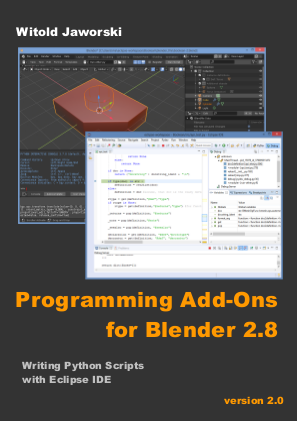
<b>"Programming..."</b> it is an e-book, published freely on Creative Commons license. I am showing there, how to adapt popular Open Source IDE - Eclipse - for developing Blender scripts.
This is merely an introduction to this subject. It is intended for the readers familiar with Python and Blender 2.5 on the average level, at least. I am describing here the <u>methods</u>, used to learn Blender API and how to find the way to implement desired operation. 
</span>
</div>
<div>
<p/>
<span>
The first edition of this book was finished on July 2011. It counts 134 pages and contains about 300 pictures.
(It is written around the pictures, like a "comic book").
</span>
<p/>
</div>
<div style="CLEAR:all;">
<p/>
</div>
<div>
<p/>
</div>
<divf>
<span>
The files, attached to this publication:
</span>
<span>
<li><a href="downloads/pydev/pydev-blender.zip">pydev-blender.zip</a> (223 KB): autocompletion files for the most Blender API classes, and the script, which generates them;</li>
<li><a href="downloads/pydev/mesh-bevel.zip">mesh-bevel.zip</a> (2 KB): final version of the exemplary add-on. Its development is described in this book.</li>
</span>
<p/>
</divf>
<div>
<span>
This book is compatible with Blender 2.57 and its next versions. The presented information is still valid (when I am writing it, the current Blender version is 2.63).
The example described here - a script that implements the "Bevel" command  - in Blender 2.63 became slightly "academic", because this Blender 
version already contains the standard "Bevel" command. While reading this booklet, take a look at the updates / comments below.
</span>
<p/>
</div>
<div class="subheader">Comments and updates:</div>
<div>
<li>
Page 39, Figue 3.2.2: If you are using a different operating system than Windows, do not place the <b>pydev_debug.py</b> file in the root folder of Blender.
Unpack it to any directory that appears in your <i>sys.path</i> list, instead. (To read its contents, open the Blender <i>Python Console</i> and evaluate 
the <b>sys.path </b> expression there).
</li>
<li>Page 58, Figure 3.2.2: in the newer PyDev versions the <em>*.debug_&lt;PyDev version&gt;</em> folder does not exists. 
You have to use as the PYDEV_PATH value a path to the folder containing its <b>pydevd</b> module. 
Identify it using the file search tools available in your system (look for the folder that contains the <b>pydevd.py</b> file. 
It will be one of the PyDev folders).
</li>
<li>Page 75, Figure 4.1.2: Because the standard Bevel command finally appeared in Blender 2.63, use a different name for the operator implemented
(attribute bl_idname = "mesh.mbevel" instead of "mesh.bevel").
</li>
<li>
For the Mac users: if you have problem finding the external Python interpreter on your computer, <a href="images/pydev/forum/osx-py3.2.jpg">here is the picture of its path</a>.
</li>
<li>
<b>Do not</b> apply one of the "tricks" described on the <a href="http://www.blender.org/documentation/blender_python_api_2_63_release/info_tips_and_tricks.html">Blender API tips and tricks</a> page:
do not place the standalone Python (i.e. downoladed from <a href="http://python.org">python.org</a>) in place (folders) of the internal Python from Blender. (When you replace it, the PyDev debugger
will not work properly). Always install the external Python interpreter into a different folder.
</li>
</div>
</body>
